Drop a .md file and read it properly rendered — diagrams, math, tables and
highlighted code. Edit it and save straight back to disk. Nothing is uploaded, because
there is nowhere to upload it to.
✓ Free and open source · ✓ Runs in your browser · ✓ Works offline
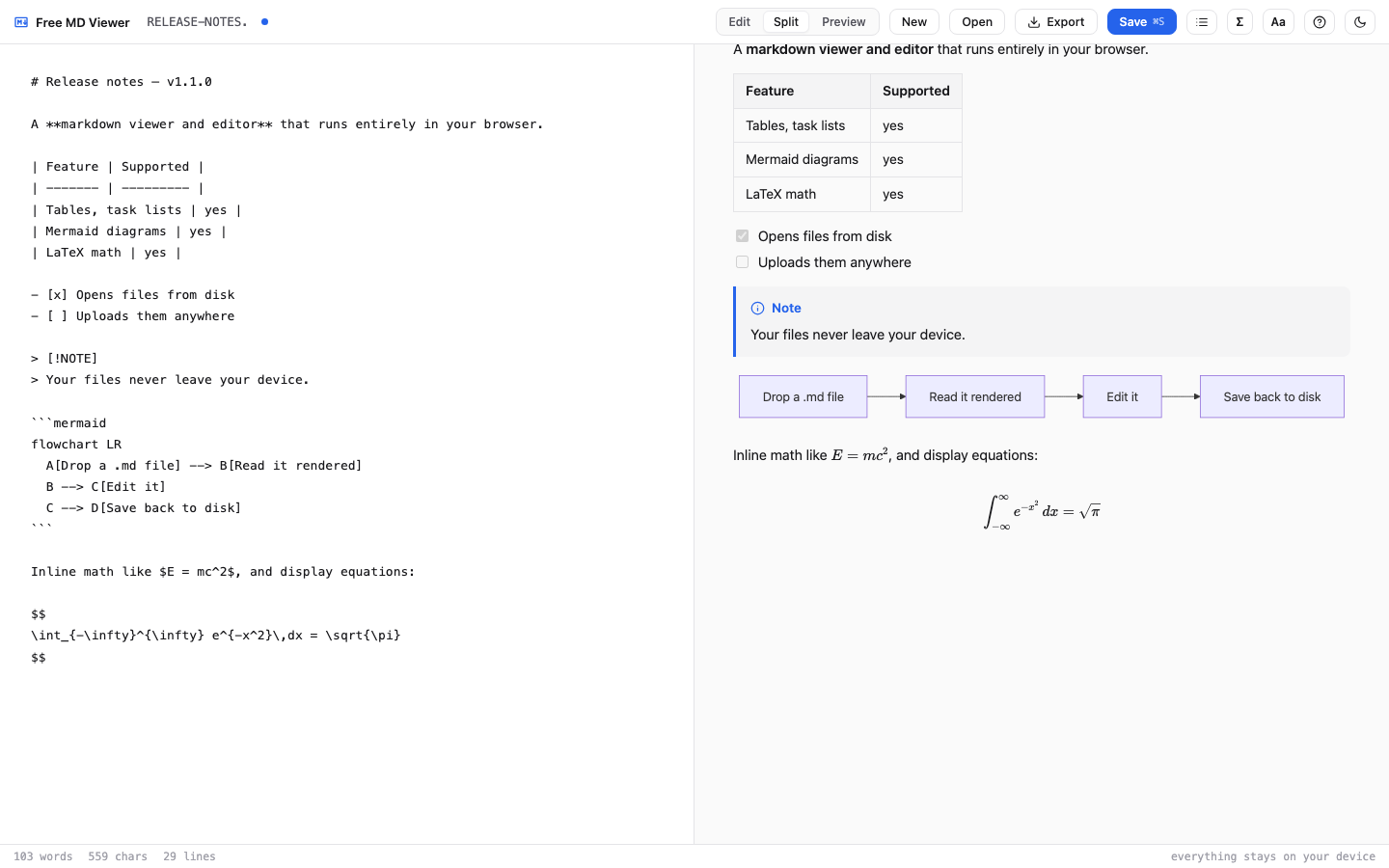
Free MD Viewer is a markdown viewer and editor that runs entirely in your browser. It opens
local .md files and renders GitHub-flavored markdown — tables, task lists,
footnotes and callouts — along with Mermaid diagrams, LaTeX math and syntax-highlighted code.
You can edit with a live preview and save back to the original file, export to HTML, PNG or
PDF, and install it so double-clicking a markdown file opens it here. It never uploads your
documents, needs no account, and the source is public.
It opens as a reader and turns into an editor the moment you need one.
Double-clicking a .md file usually gets you a wall of raw text. Here it comes
out as a finished document, with a table of contents for long files and reader controls for
text size and line width. Diagrams and equations render in place.
Type on the left, watch the result on the right. In Chrome and Edge, Save writes straight back to the file you opened — no download step, no copy in your Downloads folder. Open several files at once and switch between them.
Try editing →No install, no sign-up, no upload.
Drag a .md file anywhere on the page, or click Open. Nothing is sent anywhere — the file is read in your browser.
Headings, tables, task lists, footnotes, callouts, highlighted code, Mermaid diagrams and LaTeX math, all in place.
Save back to the same file, or export the result as a self-contained HTML page, a PNG, or a PDF.
Built on marked, KaTeX, Mermaid and highlight.js — all bundled, none fetched at runtime.
Flowcharts, sequence diagrams and the rest, rendered from a code fence and downloadable as SVG.
Inline and display equations via KaTeX, with a palette of templates if you would rather not recall the syntax.
Fenced code in a GitHub-style palette, in both light and dark themes, with a one-click copy button.
[^1] references with back-links, and GitHub callouts like > [!NOTE].
Select a folder's worth of markdown and switch between them in tabs. Each saves back to its own file.
Search the source, not just the rendered page, with replace-all as a single undo step.
Self-contained HTML, a PNG of the preview, or a real selectable-text PDF. No watermarks, no page limits.
If another editor changes your file, it offers to reload — and never overwrites their work without asking.
Install it in Chrome or Edge and .md files open here on double-click, with or without a connection.
Most online markdown viewers upload your document to a server to render it. For work documents and private notes, that is a real cost of a “free” tool. This one has no upload path at all.
The whole app is a single HTML file with every library embedded. Rendering happens in your browser. There is no backend that could receive your document, even by accident — so this needs no privacy policy to believe.
Open your browser's network tab and watch it while you work. Read the source with view-source, or on GitHub — only the vendored libraries are minified. Save the page and run it with no connection at all.
Hosted, downloaded, or self-hosted. It is MIT licensed either way.
One self-contained index.html. Keep it, email it, run it from disk forever.
The same app without Mermaid and KaTeX, for anyone who writes neither.
Download lite ~287 KBYes. Every library the app needs is embedded in the page itself, so it makes no requests of its own while you use it. Your file is read by the browser from your disk and never sent anywhere. You can confirm this in your browser's network tab, or by saving the page and using it with your connection switched off.
No to both. Open the page and drop a file in. You can optionally install it in Chrome or Edge, which lets markdown files open here on double-click and makes it work offline, but that is a convenience rather than a requirement.
In Chrome and Edge, yes — Save writes straight back to the file you opened, using the File System Access API. Other browsers fall back to a normal download, since they do not support writing to a file you picked.
GitHub-flavored markdown — tables, task lists, strikethrough and fenced code — plus footnotes, GitHub callouts, Mermaid diagrams, LaTeX math via KaTeX, and syntax highlighting for code. Anything KaTeX and Mermaid support, it supports.
Yes, through your browser's own print dialog, which keeps the text selectable rather than producing a screenshot. You can also export a self-contained HTML file or a PNG of the rendered page, with no watermarks and no page limits.
It is free and MIT licensed, with no ads, no account and no paid tier. It is small enough to cost nothing to run, since there is no server. If you need something it does not do — a custom build, SSO, sync, an on-premise deployment — that is what we do for a living, and you can email us.
Yes. Download index.html and serve it from anywhere, or open it from disk. It
needs no backend, no build step and no configuration. The MIT licence covers commercial use.
For a branded or customised build, email
support@kingsbridge-consultancy.com.
 Free MD Viewer Markdown